
What is Zendesk?
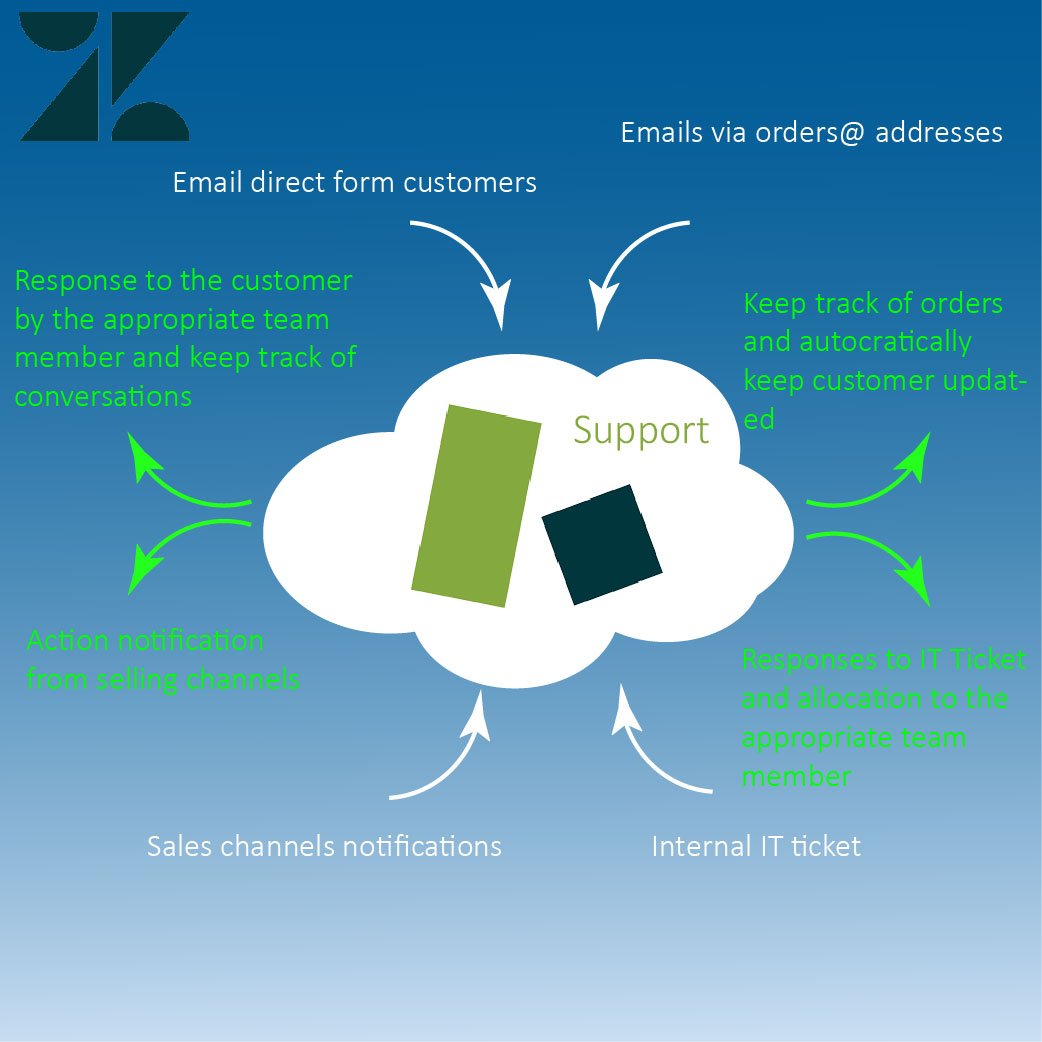
Zendesk is a tool to allows us to manage communication and share knowledge within the organisation in 2 ways:
1) Managing internal and external communication by collating all information and converting them into tickets.
2) Sharing of information through the knowledge centre.
These will be articles that contain information regarding the processes and also will have detailed guides on how to perform these processes.
These articles are only as comprehensive as we make them and the should be viewed as a collaborative resource that is updated all the time.
If you see any article that needs to be updated or after using them to perform a task you feel that certain aspects should be changed or information added please pass the information on to a member of the team that can update them.
What do we use Zendesk for?
We use Zendesk to manage our information, below are details of the most common uses of Zendesk
- To receive and respond to customers via emails
- To create internal tickets for
- IT Support
- Knowledge Centre Update
Why do we use Zendesk?
For support tickets, Zendesk converts all incoming emails into tickets, these tickets are allocated numbers which allows all further communications to be grouped together in one place. Once a ticket is created it allows the support team to manage the ticket and the communication professionally and efficiently.
Once the tickets are created we can do the following:
- Allocate the ticket to the relevant department or support member of staff to deal with
- Request information for another team member
- Respond to the customer directly
- Close the ticket if no response needed by 'Solving' it
- If the ticket relates to a previous ticket with a different ticket number ticket can be merged into one
Tickets can also be created by our support team, tickets can be for the following:
- Raising an IT issue
- Raising a suggestion/ amendment to any of the Knowledge Centre articles
- Raising a a ticket on behalf of a customer
For further information on how to use Zendesk please see the specific instruction articles:
Raising a ticket
Taking or allocating a ticket to a team member
Adding a comment to a ticket
Responding to a customer through Zendesk
Zendesk Automatisation
Current Macros
Admin level instruction
Comments
0 comments
Please sign in to leave a comment.